
Quick Answer
Where can you find quality exercise GIFs?
Free platforms like Tenor and Giphy have massive libraries but inconsistent quality and unclear licensing. For fitness apps, professional libraries like MoveKit ($4.99/clip, high-resolution 3D MP4; JSON/CSV metadata and supporting artifacts available) or ExerciseAnimatic ($1/clip, 2000+ exercises) offer consistent quality with commercial licenses included.
- •Free: Tenor, Giphy, Pixabay (unclear licensing, mixed with memes)
- •Professional: GymVisual (2D), ExerciseAnimatic (3D), MoveKit (3D MP4 + metadata artifacts)
- •MP4 is 10-20x smaller than GIF at better quality
- •Always verify commercial licensing before shipping exercise content in an app
Searching for exercise GIFs usually lands you on Tenor or Giphy, surrounded by memes. If you need exercise animations for a fitness app, coaching platform, or content project, here is every source worth considering.
Free Exercise GIF Platforms
The three main free sources are Tenor, Giphy, and Pixabay. Each serves a different slice of the market, but they share the same core problems for professional use.
Tenor
Tenor has the largest exercise GIF collection. It powers GIF search in most messaging apps. The problem: user-uploaded content means quality ranges from professional physiotherapy demos to someone filming their cat on a treadmill. Commercial licensing varies per upload, and most creators never specify terms.
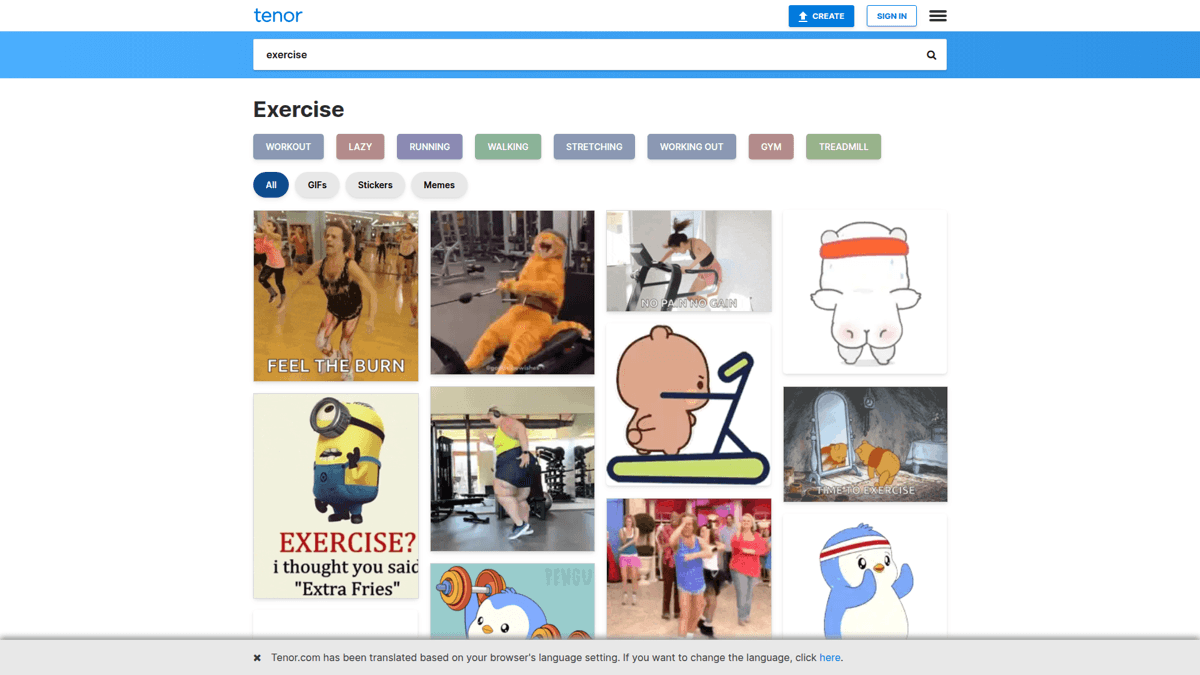
Tenor exercise GIF search: real exercises mixed with memes and low-quality uploads.
Giphy
Giphy is similar to Tenor with a developer API that makes integration straightforward. The same quality issues apply: user-uploaded, inconsistent styles, and licensing that varies per creator. Fine for social media reactions, risky for a commercial fitness product.
Pixabay
Pixabay offers royalty-free exercise GIFs with clear licensing. The catch: only about 68 exercise GIFs in the entire library. If you need more than a handful of exercises, Pixabay runs out fast.
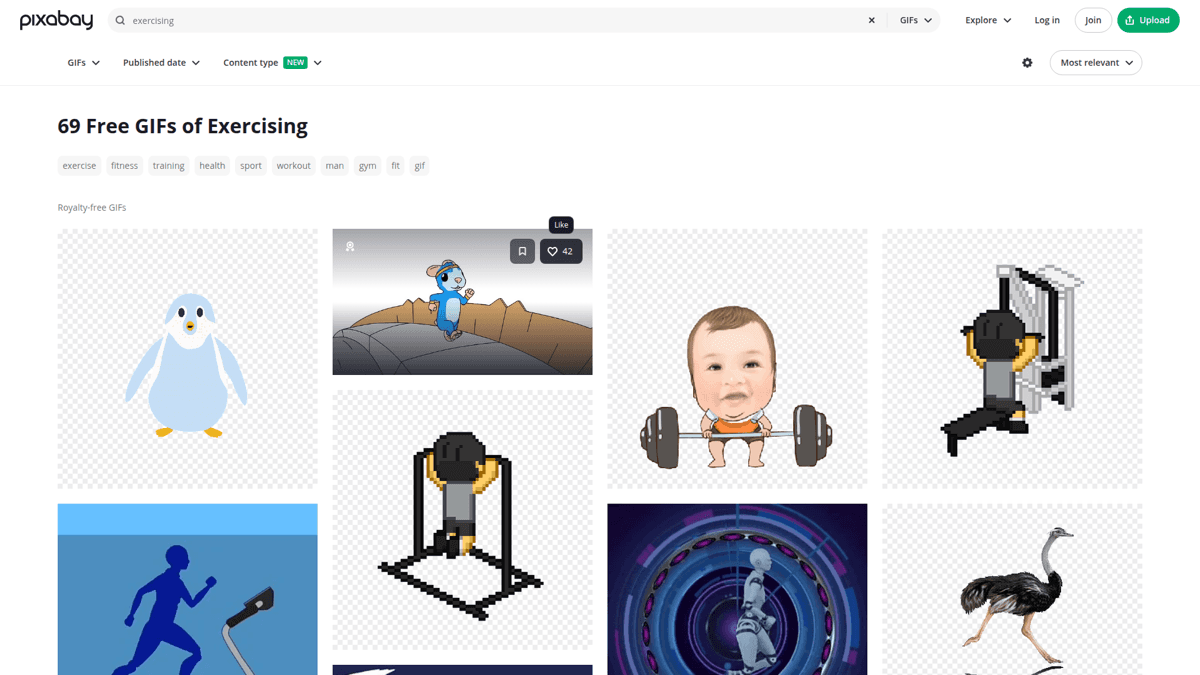
Pixabay: royalty-free but only ~68 exercise GIFs available.
Pros
- ✓Free and instant access
- ✓Large libraries on Tenor and Giphy
- ✓Pixabay has clear royalty-free licensing
Cons
- ✗No commercial license guarantee (Tenor/Giphy)
- ✗Inconsistent quality and mixed styles
- ✗Memes and joke content mixed with real exercises
- ✗GIF files are 5-10x larger than equivalent MP4
Professional Exercise Animation Libraries
If you are building something that ships to real users, free GIF platforms are a liability. Here are the three main professional options, each with different strengths.
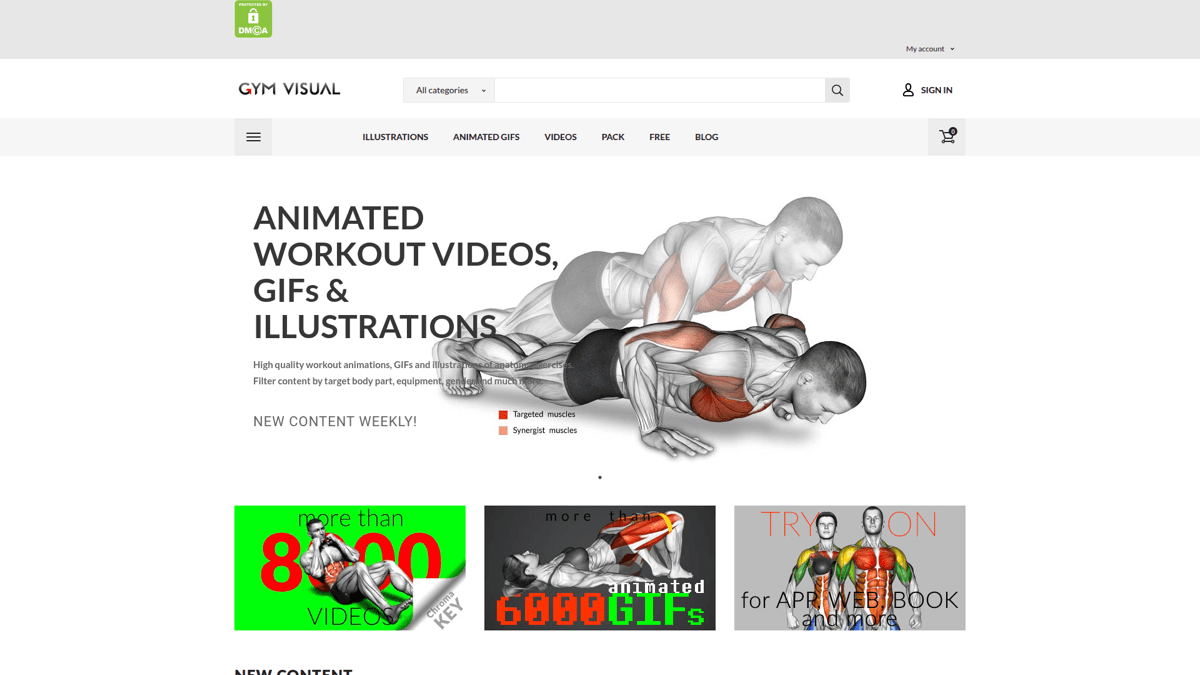
GymVisual: 2D cartoon-style illustrations and GIFs with per-item pricing.
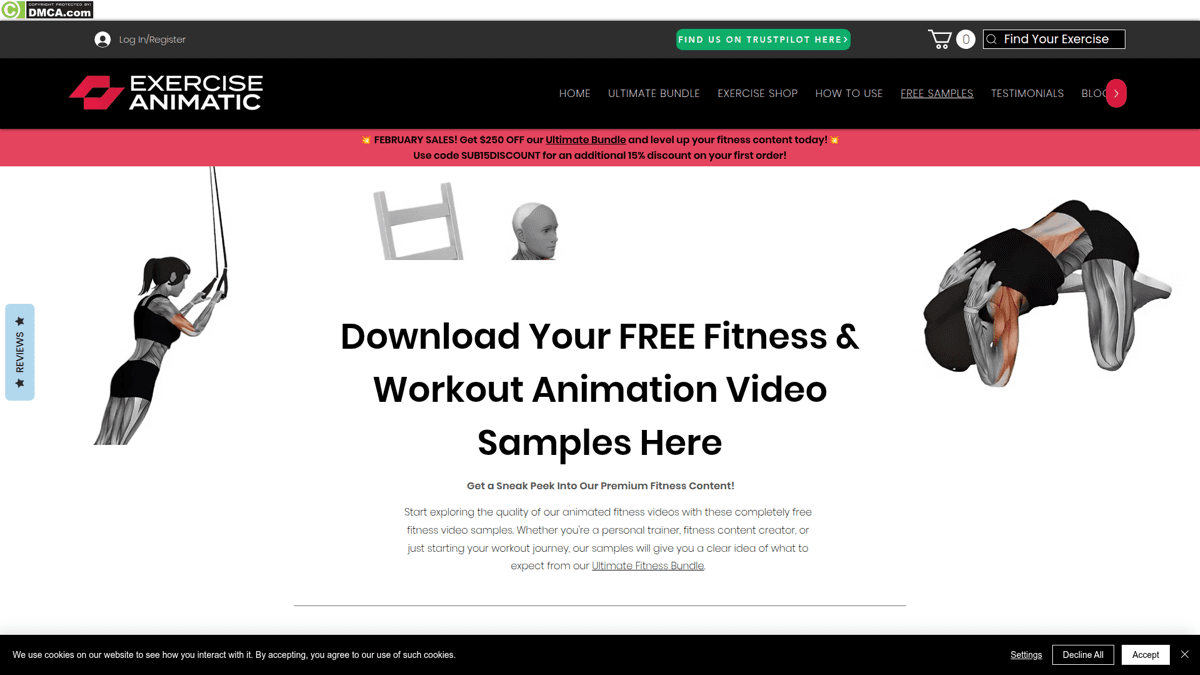
ExerciseAnimatic: 3D animations with 2,000+ exercises and a $599 lifetime bundle.
| Feature | GymVisual | ExerciseAnimatic | MoveKit |
|---|---|---|---|
| Style | 2D cartoon illustrations | 3D animations | 3D consistent mannequin |
| Library size | Large (regularly updated) | 2,000+ exercises | 582 exercises |
| Format | GIF + illustrations + video | MP4 (4K 60fps) | High-resolution MP4 |
| Individual pricing | $0.90/GIF, $6/video | $1/clip | $4.99/clip |
| Whole catalogue | Contact for bulk | $599 lifetime | $299 (Complete Pack) |
| Muscle highlights | No | Not mentioned | Supporting artifacts |
| Commercial license | Yes (with purchase) | Yes (lifetime bundle) | Yes (included) |
GymVisual is the right fit if you want 2D illustrations for a workout poster or printed guide. ExerciseAnimatic has the largest 3D library if you need 2,000+ exercises and the $599 budget. MoveKit is the most accessible entry point: 400+ exercises with structured metadata and supporting artifacts, starting at $4.99 per clip, or $299 for the 582-exercise Complete Pack.
GIF vs MP4: Why File Format Matters
If you came here searching for exercise GIFs, you should know: the GIF format is one of the worst choices for exercise animations in a production app.
| Format | File Size | Quality | Browser Support | Transparent | Loopable |
|---|---|---|---|---|---|
GIF Fine for chat reactions, bad for fitness apps | 2-8 MB per exercise | 256 colors, dithering artifacts | Universal | ✓ | ✓ |
MP4 (H.264)Recommended Best format for exercise content in apps | 200-400 KB per exercise | Full color, smooth gradients | Universal (all browsers, iOS, Android) | ✗ | ✓ |
A page with 10 exercise GIFs can load 50+ MB of data. The same exercises as MP4: under 4 MB total. For a deeper breakdown of format tradeoffs, see the exercise animation vs GIF comparison.
ℹ️ Note
When someone says “exercise GIF,” they usually mean any looping exercise animation. MP4 files loop just as well in a <video> tag and are 10-20x smaller. Most professional libraries (including MoveKit) deliver MP4, not GIF.
What Professional Exercise Animations Look Like
Free GIF platforms give you whatever someone uploaded. Professional libraries give you consistent style across every exercise. Here are three MoveKit exercises rendered with the same 3D mannequin, looping in real time:
MoveKit Exercise Previews
Bodyweight Squat
Barbell Bench Press
Mountain Climber
Every exercise uses the same mannequin, the same lighting, the same camera angle conventions. That consistency matters when your app displays dozens of exercises side by side.
See All 400+ Exercises
Every exercise has a live video preview, muscle group tags, and instant download.
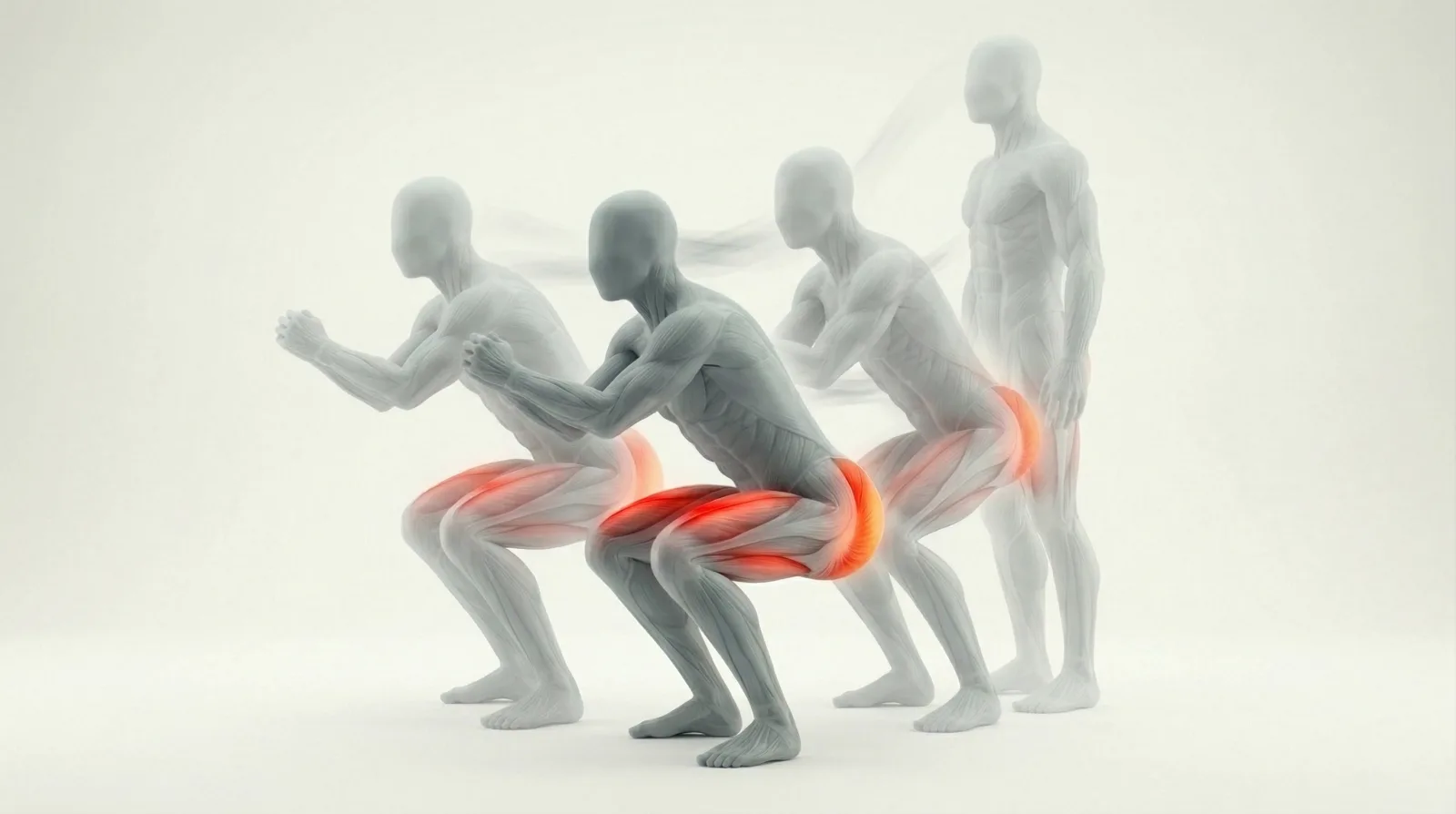
Muscle Highlight Animations: The Feature Developers Want
One of the most requested features in fitness app development is showing which muscles activate during each exercise. Developers and users both want it, but most animation sources do not provide it.
“I'd love to have comprehensive list of gifs even if animated that show every single exercise and how it's done. Basically on loop doing that certain exercise.”
“I'm looking for gifs like exrx.com, but with drawings where muscles would lighten up during specific parts of the movement, according to which muscle was most involved.”
Tenor and Giphy have no reliable muscle metadata. GymVisual offers 2D illustrations with muscle coloring, but no animated highlights. ExerciseAnimatic does not mention muscle overlays. MoveKit provides structured muscle metadata and supporting artifacts alongside its MP4 library - see full pricing and tiered savings if you need a focused subset rather than the whole catalogue.
Licensing: Can You Actually Use These in Your App?
This is where free GIF platforms become dangerous. Tenor and Giphy content is user-uploaded. Licensing depends on the original creator, and most uploads have no explicit terms. Using unlicensed exercise GIFs in a commercial app is a legal risk that is easy to avoid.
Pixabay is safer with royalty-free licensing, but the tiny library (68 GIFs) limits its usefulness. All three professional libraries - including MoveKit's nested buyer libraries - include commercial licenses with purchase.
Allowed
- ✓Use in commercial fitness apps (iOS, Android, Web)
- ✓Embed in online courses and coaching platforms
- ✓Use in YouTube and social media content
- ✓Modify and adapt for your project
- ✓Unlimited end users of your product
Not Allowed
- ✗Resell or redistribute the raw animation files
- ✗Include in a competing animation marketplace
- ✗Claim as your own original work
💡 Tip
One Standard license covers the buyer entity's own apps, websites, client projects, courses, videos, ads, and commercial products. Contact MoveKit directly if multiple buyer entities need access.
Which Source Should You Choose?
Social Media / Casual Use
Tenor or Giphy. Free, instant, good enough for Instagram stories or chat messages.
Instagram fitness posts
Fitness App on a Budget
Pixabay for free royalty-free clips, plus ExerciseAnimatic free samples to fill gaps.
MVP fitness app
Professional Fitness App
MoveKit ($299 for the 582-exercise Complete Pack) or ExerciseAnimatic ($599 for 2,000+). Consistent quality, clear commercial license.
Production workout app
Content Creator
MoveKit for consistent MP4 clips with structured metadata. GymVisual if you prefer 2D illustration style.
YouTube fitness channel
Ready to Ship Professional Exercise Content?
Start with the free sample pack or get all 582 exercises for $299. Commercial license included.
Browse the Library →FAQ
Are exercise GIFs on Tenor and Giphy free to use commercially?
Not necessarily. Content on Tenor and Giphy is user-uploaded, and licensing varies per creator. Most uploads have no explicit commercial license. For a fitness app or any product that ships to paying users, verify licensing on every individual asset or use a library with clear commercial terms.
What is the best format for exercise animations in a fitness app?
MP4 (H.264). It is 10-20x smaller than GIF at better quality, loops cleanly in a <video> element, and works on every platform. See the full format comparison for details.
How much do professional exercise animations cost?
Ranges from $0.75/illustration (GymVisual 2D) to $599 for a lifetime bundle (ExerciseAnimatic 3D, 2,000+ exercises). MoveKit sits at $4.99 per clip or $149 to $299 for a buyer library with structured metadata, supporting artifacts, and commercial license included.
Do any exercise animation libraries include muscle highlights?
MoveKit provides structured muscle metadata and supporting artifacts for app builders. Do not assume every exercise has verified highlight coverage; use the generated metadata as the reliable muscle map.
Key Takeaways
- ✓Free GIF platforms (Tenor, Giphy) are fine for social media but risky for commercial apps
- ✓MP4 beats GIF for fitness apps: 10-20x smaller files at higher quality
- ✓Always verify commercial licensing before shipping exercise content in a product
- ✓MoveKit combines a consistent MP4 library with structured metadata and supporting artifacts