
Quick Answer
What is an AI workout generator?
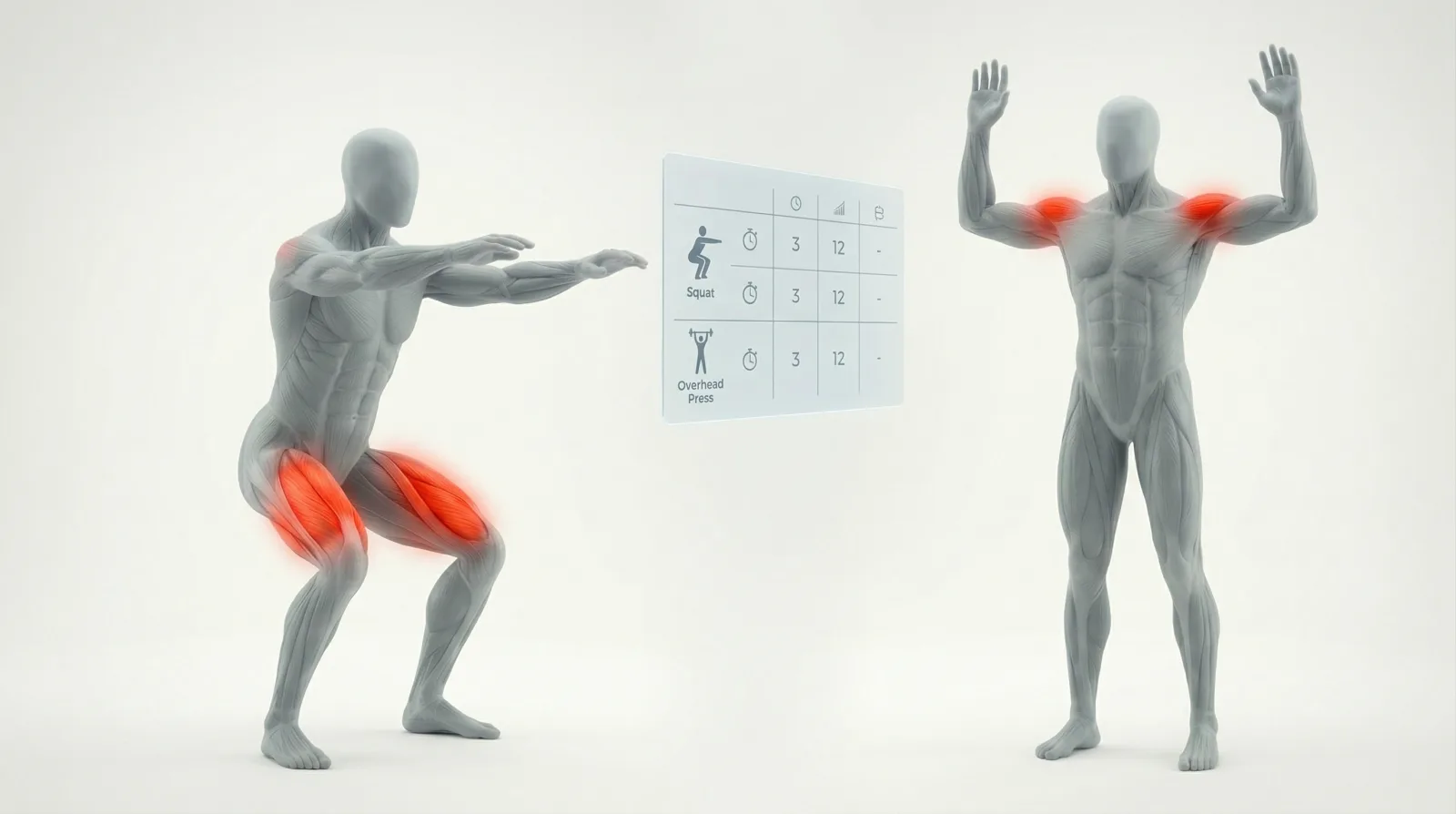
A tool that uses AI to create personalized workout plans based on your goals, equipment, and schedule. Most generate text-only plans. The best ones include exercise demonstrations, but animation quality varies wildly across tools.
- •Free options: ChatGPT GPT, Strongr Fastr, Arvo Guru
- •App-based: FitnessAI (adapts over time), Setgraph (equipment-aware)
- •B2B: FitBudd (for personal trainers, claims 4,000+ exercises)
- •The gap: no generator solves exercise demonstration quality well
AI workout generators promise personalized fitness plans in seconds. After testing 7 of the most popular tools, they all share the same blind spot: exercise content quality.
What AI Workout Generators Actually Do
Every AI workout generator follows the same pattern. You input your goals, available equipment, schedule, and any limitations. The tool processes this through an LLM or rule-based algorithm. Out comes a structured workout plan with exercises, sets, reps, and rest periods.
The output is almost always text. Exercise names like “Barbell Squat 4x8” or “Mountain Climber 3x30s.” Some tools link to stock GIFs. A few include their own exercise videos. But the visual demonstration layer is where most generators fall short.
For consumers using these tools personally, text is fine. For developers building AI workout generators into their own apps, the exercise content gap becomes a real product problem.
7 AI Workout Generators Compared
Here is how the most popular AI workout generators stack up. We looked at personalization depth, exercise demonstration quality, pricing, and whether a developer could actually build on top of them.
ChatGPT Custom GPT
The top Google result for “ai workout generator” is a ChatGPT custom GPT. It generates text-based workout plans with zero exercise demonstrations. Good for a quick plan, useless for anyone who needs to see proper form. Free with a ChatGPT account.
FitnessAI
FitnessAI adapts workouts based on your performance data over time. It tracks sets, reps, and weight, then adjusts future sessions. The app includes basic exercise images, but the demonstrations are minimal. Consumer focused with no developer API or embed options.
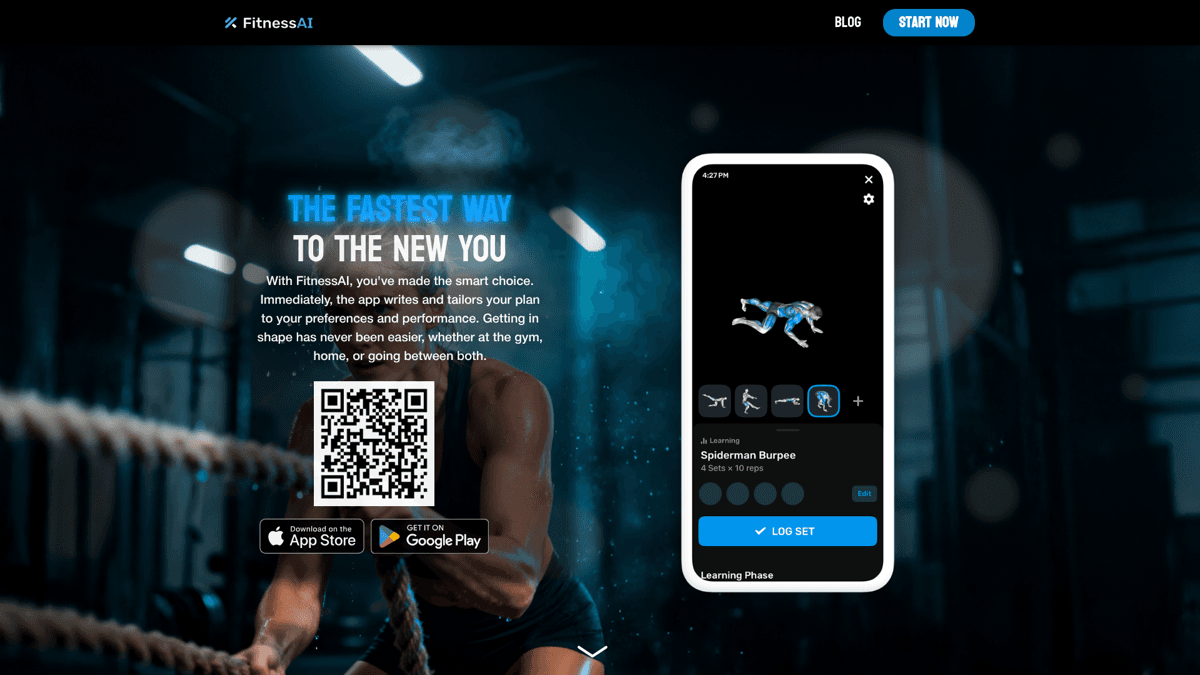
FitnessAI: consumer app that adapts workouts based on performance data.
Strongr Fastr
Strongr Fastr combines workout generation with meal planning. The workout programming is more detailed than most free tools, with periodization and progressive overload built in. Exercise demonstrations are limited to basic descriptions.
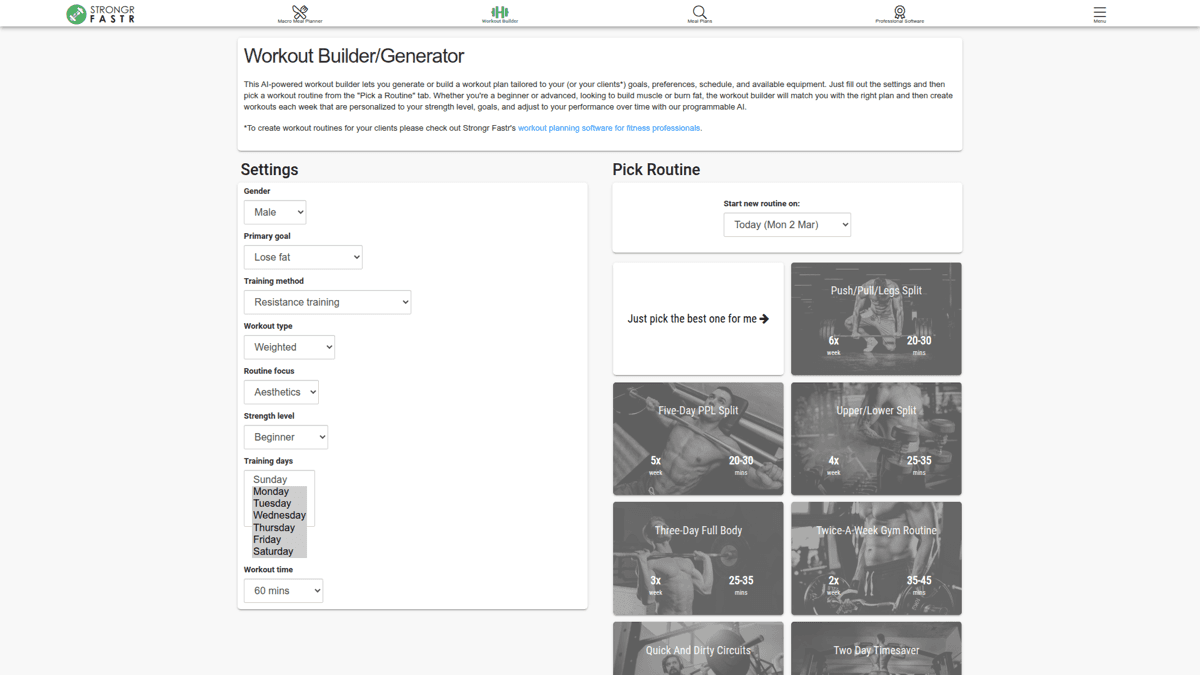
Strongr Fastr: combines AI workout generation with meal planning.
Setgraph
Setgraph stands out for equipment-aware customization. You can specify exactly what you have access to, and it builds around those constraints. Smart schedule integration lets it fit workouts into your actual week. No developer tools or exercise animation exports.
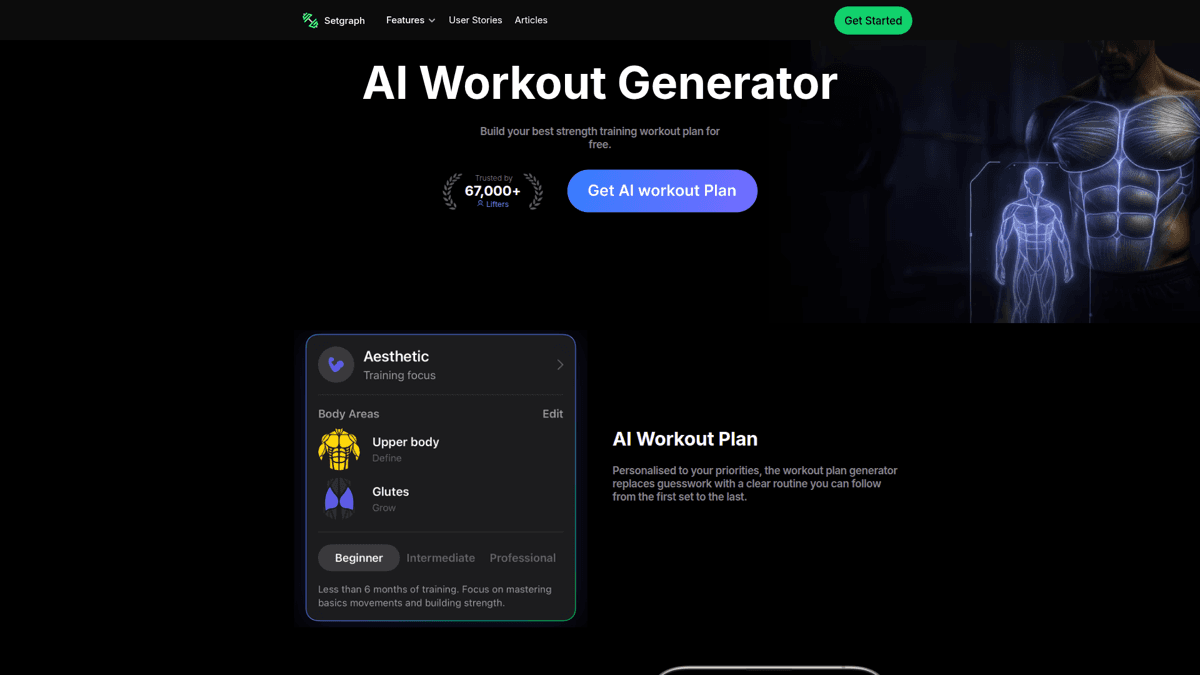
Setgraph: equipment-aware workout generation with schedule integration.
FitBudd
FitBudd targets personal trainers, not consumers. It claims 4,000+ exercises with demo videos, which is the largest library in this comparison. The platform lets trainers create branded apps for their clients. No individual pricing is publicly listed, and the exercise content quality and licensing terms are not transparent.
SetForceAI
An open-source project from a developer with 25 years of software engineering experience. The standout feature is uploading an existing workout program and having it converted into a trackable format. Minimal exercise demonstrations.
Arvo Guru
A free web-based generator with a basic interface. Generates workout plans quickly with minimal input. No exercise demonstrations, no tracking, no progressive overload. Useful as a quick starting point and nothing more.
| Feature | ChatGPT | FitnessAI | Setgraph | FitBudd | MoveKit |
|---|---|---|---|---|---|
| Type | Text GPT | Mobile app | Web + app | B2B platform | Animation library |
| Personalization | Prompt-based | Adaptive AI | Equipment-aware | Trainer-managed | N/A (content layer) |
| Exercise demos | None | Basic images | None | 4,000+ claimed | 412 (3D, consistent) |
| Muscle highlights | No | No | No | Not specified | Supporting artifacts |
| Format | Text | In-app only | In-app only | In-app only | High-resolution MP4 |
| Pricing | Free | Subscription | Free / premium | Contact sales | $4.99/clip or $299 for all 412 |
| Commercial license | N/A | No | No | Trainer use only | Included |
| Developer API | OpenAI API | No | No | No | Coming soon |
Notice the gap in that table: generators handle workout logic, but exercise content quality is an afterthought. If you want to see what professional exercise animations actually look like, browse the MoveKit library.
The Exercise Content Problem Nobody Talks About
Every AI workout generator comparison focuses on the AI layer: how smart is the programming, how well does it adapt, how personalized are the plans. Nobody talks about what happens when a user sees “Bulgarian Split Squat 3x12” and has no idea what that exercise looks like.
Most generators punt on this problem entirely. They output exercise names and expect the user to Google it. Some link to Tenor or Giphy GIFs, which means inconsistent quality, mixed styles, and meme content scattered between real exercises.
⚠️The hidden cost of free exercise GIFs
Free GIF platforms like Tenor and Giphy offer exercise animations, but with inconsistent quality, no muscle highlights, and unclear commercial licensing. Embedding them in your app is a legal and UX risk.
For developers building AI workout generators into their own products, this is more than a UX issue. Exercise form demonstration is a safety concern. Poor-quality animations can lead to incorrect form and injuries. And sourcing content from platforms without clear commercial licenses puts your app at legal risk.
“Most free workout generators treat customization as an afterthought. They ask you five generic questions and spit out a cookie-cutter program that could've been copy-pasted from a 2008 bodybuilding forum.”
“The key feature that no other app had, that I really wanted was the ability to upload a workout program and have it auto converted into a workout that I can enter my weight, sets, and rpe.”
What Professional Exercise Animations Look Like
Here is the difference between “exercise demonstration” on most generators and a purpose-built animation library. These are real MoveKit exercises, looping inline, all rendered with the same consistent 3D mannequin:
MoveKit Exercise Previews
Barbell Squat
Mountain Climber
Barbell Thruster
Every exercise uses the same mannequin, same lighting, same camera conventions. The catalogue also includes structured metadata and separate supporting artifacts that help app teams map each movement to muscles, equipment, and use cases. This consistency matters when your app displays dozens of exercises side by side.
Browse 400+ Professional Exercise Animations
Structured metadata and separate supporting artifacts are available. Commercial license included.
Building an AI Workout Generator? Here Is Your Content Stack
If you are building your own AI workout generator (and based on Reddit, many developers are), the tech stack breaks into three layers - and once you start scaling, you may want future programmatic API access to your visual content layer instead of manual downloads:
1. Exercise database. Names, muscle groups, equipment, difficulty levels. You can build this from scratch or use an existing dataset.
2. AI layer. An LLM API (OpenAI, Anthropic, etc.) or a rule-based algorithm that matches exercises to user inputs. This is the part most developers focus on.
3. Visual content layer. Exercise animations, images, or videos that show users how to perform each movement. This is the part most developers ignore until launch, then scramble to fill with Tenor GIFs.
Workout App
Embed exercise animations inline with generated plans. Users see the movement, not just the name. CDN-hosted MP4s load in milliseconds.
AI-powered fitness app
Coaching Platform
Personal trainers assign exercises with visual demonstrations. Clients see consistent, professional-quality animations for every movement.
PT management software
Content Creator Tool
Generate workout videos or social content with looping exercise animations. Muscle highlights add educational value viewers can not get from stock footage.
YouTube/TikTok fitness content
💡 Tip
MoveKit exercises are hosted on Vercel's global CDN. You can embed them directly via URL in your app without hosting the files yourself. Each exercise slug maps to a predictable URL pattern.
Pricing and Licensing for Exercise Content
If you are sourcing exercise content for an AI workout generator, here is what the options actually cost:
Free platforms (Tenor, Giphy, Pixabay): $0, but no commercial license guarantee, inconsistent quality, and your app will look like a meme board.
GymVisual: 2D illustrations starting at $0.75, GIFs at $0.90, videos at $6 per clip. Commercial license included. Cartoon style that works for print but looks dated in a modern app.
ExerciseAnimatic: 3D animations at $1 per clip. The $599 ultimate bundle gets you 2,000+ exercises. Largest 3D library available - but you commit to the whole collection upfront, with no smaller curated packs if you only need a focused subset.
MoveKit: $4.99 per clip, or $299 for the 412-exercise Complete Pack. Structured metadata and supporting artifacts are available separately. Commercial license included with every purchase.
DIY (Blender): Free software, but realistically 100+ hours to create a comparable library from scratch. Only viable if you have dedicated 3D animators on staff.
Allowed
- ✓Use in commercial fitness apps (iOS, Android, Web)
- ✓Embed in online courses and coaching platforms
- ✓Use in YouTube and social media content
- ✓Modify and adapt for your project
- ✓Unlimited end users of your product
Not Allowed
- ✗Resell or redistribute the raw animation files
- ✗Include in a competing animation marketplace
- ✗Claim as your own original work
How to Choose the Right AI Workout Generator
The right tool depends entirely on what you are building:
For personal use: ChatGPT or FitnessAI. Free, good enough for getting a workout plan, and you do not need exercise demonstrations if you already know the movements.
For training clients: FitBudd or Setgraph. Both have features designed for trainers managing multiple clients. FitBudd has the larger exercise library.
For building your own generator: You need three things: an exercise database, an AI layer, and visual content. The first two are straightforward. The third is where most projects stall.
For embedding in a commercial app: Commercial licensing is not optional. Free GIF platforms do not cover you. Budget for a professional exercise content library from the start.
Pros
- ✓Building your own gives you full control over the AI logic and UX
- ✓Exercise content libraries let you skip months of animation work
- ✓CDN-hosted assets mean zero infrastructure overhead for exercise media
- ✓One-time purchase pricing (MoveKit, ExerciseAnimatic) beats recurring costs
Cons
- ✗Free exercise content has unclear licensing for commercial use
- ✗Building animations from scratch requires dedicated 3D animators
- ✗Most generators do not expose APIs for third-party integration
- ✗Exercise demonstration quality varies wildly across free sources
Start With 2 Free Exercises
See the quality before you commit. Download the free sample pack. The 412-exercise Complete Pack is $299 with commercial license.
Browse the Library →FAQ
Are AI workout generators accurate?
Yes for basic programming. Most tools handle exercise selection, set/rep schemes, and rest periods well. Quality depends on the underlying exercise database and how deep the personalization goes. They work best as starting points rather than replacements for professional coaching.
What is the best free AI workout generator?
ChatGPT for text-based plans (most flexible, prompt-driven). FitnessAI for app-based tracking that adapts over time. Neither includes professional exercise demonstrations with muscle highlights.
Can I use AI workout generator output in my fitness app?
The workout logic, yes. But exercise demonstrations need separate commercial licensing. Most free GIF and image sources do not explicitly cover commercial use in apps. Budget for a licensed exercise content library if you are shipping a product.
Do AI workout generators include exercise demonstrations?
Most generate text-only plans. FitBudd claims 4,000+ exercise videos, but these are locked inside their platform. For professional 3D exercise animations with structured metadata that you can embed in your own app, you need a dedicated library like MoveKit.
How much does exercise animation content cost for an app?
Ranges from free (GIF platforms with unclear licensing) to $599 (ExerciseAnimatic 2,000+ exercise bundle). MoveKit offers individual clips at $4.99 or four nested buyer libraries from $149 to $299 with commercial licensing, structured metadata, and supporting artifacts included.
Key Takeaways
- ✓AI workout generators handle the logic well but punt on exercise demonstration quality
- ✓For personal use, ChatGPT or FitnessAI are good enough. For building products, you need licensed exercise content
- ✓Free GIF platforms have unclear commercial licensing. Do not ship them in a paid app
- ✓MoveKit: 400+ exercises, consistent 3D style, structured metadata included, $4.99/clip or $299 for the Complete Pack