
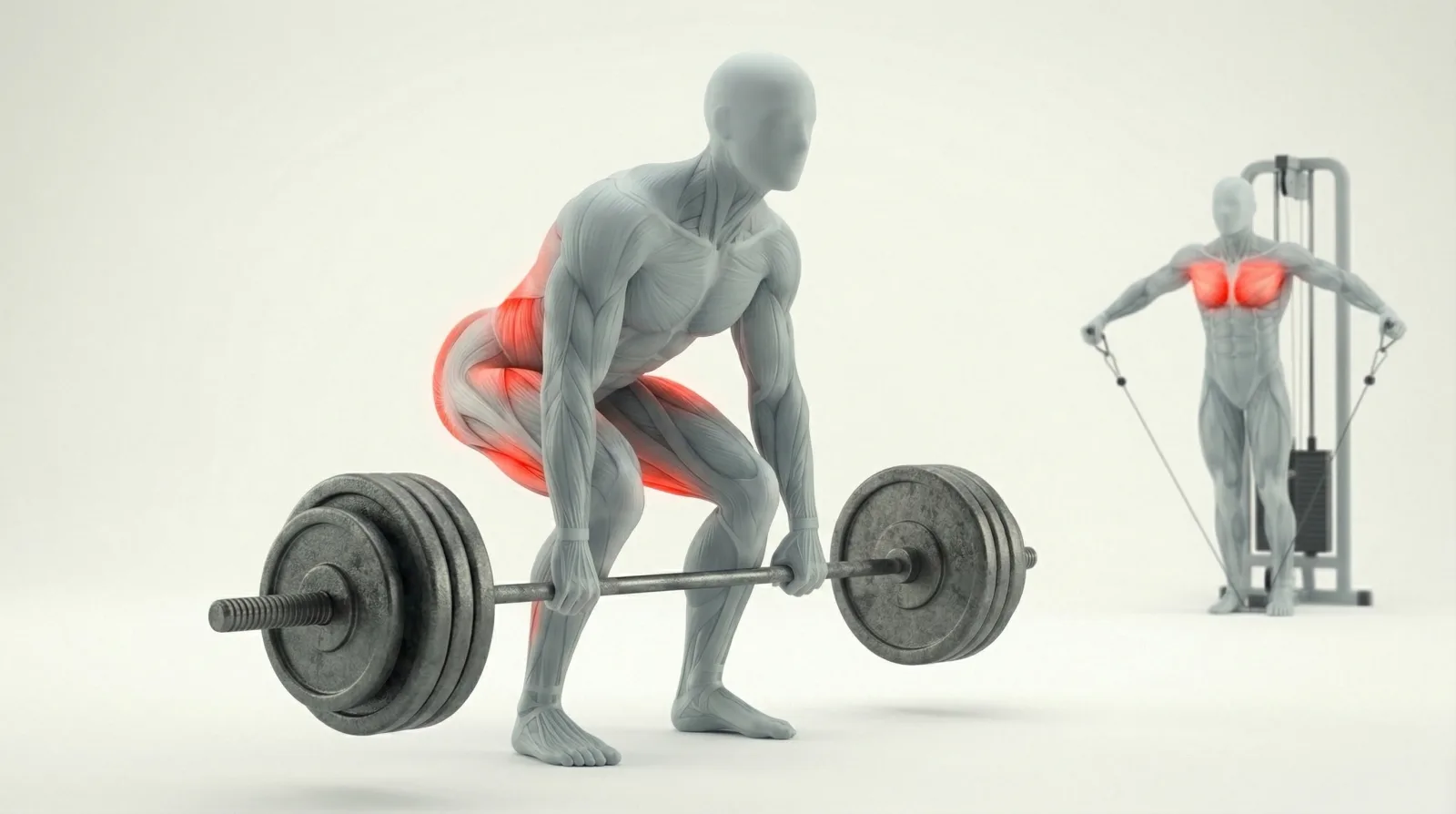
Quick Answer
How much does it cost to build a fitness app?
An MVP starts at $25K-$30K. A full-featured fitness app runs $60K-$160K. But the most overlooked cost? Professional exercise content, which can range from $500 to $15,000+ depending on your library size and format.
- •Cross-platform (React Native/Flutter) is the fastest path for most teams
- •Exercise content sourcing is the gap every guide skips
- •MP4 animations are 10-50x smaller than GIFs for mobile apps
- •MoveKit: 400+ exercises at $4.99/clip, or the 412-exercise Complete Pack at $299
Every "build a fitness app" guide covers the same steps: pick a platform, design screens, add features, launch. None of them answer the question developers actually ask on Reddit: where do the exercise animations come from?
This guide covers both sides. The standard development process and the exercise content sourcing problem that nobody talks about.
The Fitness App Market in 2026
The global fitness app market crossed $12 billion in 2025 and is projected to reach $33 billion by 2033. Downloads hit 3.6 billion in 2024, growing roughly 6% year-over-year. Subscriptions dominate revenue, accounting for over 75% of the $5 billion generated on mobile.
Three trends define 2026: AI-powered coaching that adapts workout plans in real time, deeper wearable integrations (Apple Health, Google Health Connect), and hybrid training that blends in-gym and at-home workouts. If you are building a fitness app, the market is large and growing.
But market size does not equal easy entry. The top apps (Hevy, Strong, Lyfta) all share one thing: polished exercise demonstrations with a consistent visual style. That consistency is harder to achieve than most developers expect.
5 Steps to Build a Fitness App
Step 1: Define Your Niche
"Fitness app" is too broad. Workout tracker? Coaching platform? Nutrition planner? Home workout only? Gym focused? Each niche has different technical requirements and competitive dynamics. Pick one and go deep.
Step 2: Choose Your Tech Stack
Native (Swift / Kotlin)
Pros
- ✓Best performance
- ✓Full hardware access
- ✓Smooth animations
Cons
- ✗Two codebases to maintain
- ✗Higher cost and longer timeline
Cross-Platform (React Native / Flutter)
Pros
- ✓Single codebase for iOS and Android
- ✓Faster time-to-market
- ✓Large ecosystem
Cons
- ✗Slight performance trade-off
No-Code (Buildfire / Movement.so)
Pros
- ✓Fastest launch possible
- ✓No dev team needed
Cons
- ✗Limited customization
- ✗Platform lock-in
- ✗Hard to differentiate
Step 3: Source Exercise Content
This is the step every guide skips. Your app needs exercise demonstrations. High-quality, consistent-style animations or videos that show proper form. You have three paths: film yourself, commission custom art, or license from an exercise animation library or pack. We will cover this in detail below.
Step 4: Build Core Features
Workout builder with drag-and-drop exercises. Progress tracking with charts. User profiles and settings. Rest timers, sets and reps logging, and workout history. These are table stakes. Get them working before adding anything fancy.
Step 5: Test, Launch, Iterate
Beta test with real users. Watch where they get confused. Fix the onboarding flow (it is always the onboarding flow). Ship to the App Store and Google Play, then iterate based on reviews and analytics.
If you want to skip the exercise content production entirely, MoveKit has 400+ production-ready exercise animations with commercial licensing included.
The Exercise Content Problem Nobody Talks About
Search "build fitness app" and you will find dozens of guides. Not one of them explains where exercise animations come from. Yet this is the exact question developers ask on Reddit, Stack Overflow, and indie dev forums.
“I want something I can use without paying monthly API fees, especially if my app grows. Free or one-time purchase options are preferred.”
“I am not sure how to get a range of illustrations for these exercises with a consistent style. I have seen extremely nicely made illustrations in apps like Strong, Hevy, etc., but when I search online, I can't find anything.”
The frustration is universal. Developers can build the app logic, design the UI, integrate Apple Health. But they get stuck on content. And the content is what users actually see on every screen.
Three paths exist:
- Film yourself or hire a studio - highest quality, but $10,000+ and months of production time
- Commission custom illustrations - consistent style guaranteed, but $50-100 per exercise adds up fast
- License from a database - fastest and most affordable, if you can find one with consistent style and clear licensing
Most successful indie fitness apps use the third option. The top apps (Hevy, Strong, Lyfta) license their exercise visuals from providers like GymVisual. The challenge is finding a provider with the right format,price, and license for your use case.
Exercise Animation Formats: MP4 vs GIF vs Static
Format choice affects your app's performance, file size budget, and user experience. Here is how the three main options compare.
Exercise Animation Format Comparison
| Format | File Size | Quality | Browser Support | Transparent | Loopable |
|---|---|---|---|---|---|
MP4 (H.264)Recommended Hardware-accelerated decoding on all mobile devices | 200-400 KB | Full color, smooth 30fps motion | Universal | ✗ | ✓ |
GIF Legacy format, 10-50x larger than MP4 | 2-8 MB | 256 colors, visible banding on skin tones | Universal | ✓ | ✓ |
Static Illustration No motion - users cannot verify exercise form | 50-200 KB | Varies widely by artist | Universal | ✓ | ✗ |
Lottie / SVG Requires custom creation per exercise | 30-100 KB | Scalable vector, smooth | Requires library | ✓ | ✓ |
For fitness apps, MP4 is the clear winner. A two-second barbell squat clip weighs about 300 KB as MP4 or 6 MB as a GIF. Across 50 exercises, that is 15 MB vs 300 MB of content your users need to download. On mobile networks, the difference is brutal.
Here is what a production-quality MP4 exercise animation looks like:
Bodyweight Squat
For a deeper dive into format tradeoffs, see our exercise animation vs GIF comparison.
Exercise Content Providers Compared
Four options exist for sourcing exercise demonstrations. Each has different tradeoffs in price, quality, format, and licensing clarity.
Exercise Content Provider Comparison
| Feature | MoveKit | GymVisual | Free DBs | DIY Filming |
|---|---|---|---|---|
| Exercise count | 412 (growing) | 1,000+ | Varies | Unlimited |
| Format | MP4 (H.264) | GIF, illustrations, video | Mixed | Your choice |
| Visual style | Consistent 3D mannequin | 2D illustrations | Inconsistent | Consistent |
| Muscle highlights | Shown on the model | Not standard | No | Extra cost |
| Per-clip price | $4.99 | ~$0.75-$6 | Free | $200+ per exercise |
| Whole catalogue | $299 (Complete Pack) | Contact for bulk | Free | $10,000+ |
| Commercial license | Included | Per-purchase | Check carefully | You own it |
| Delivery | CDN (Vercel Blob) | Download | API/scrape | Self-hosted |
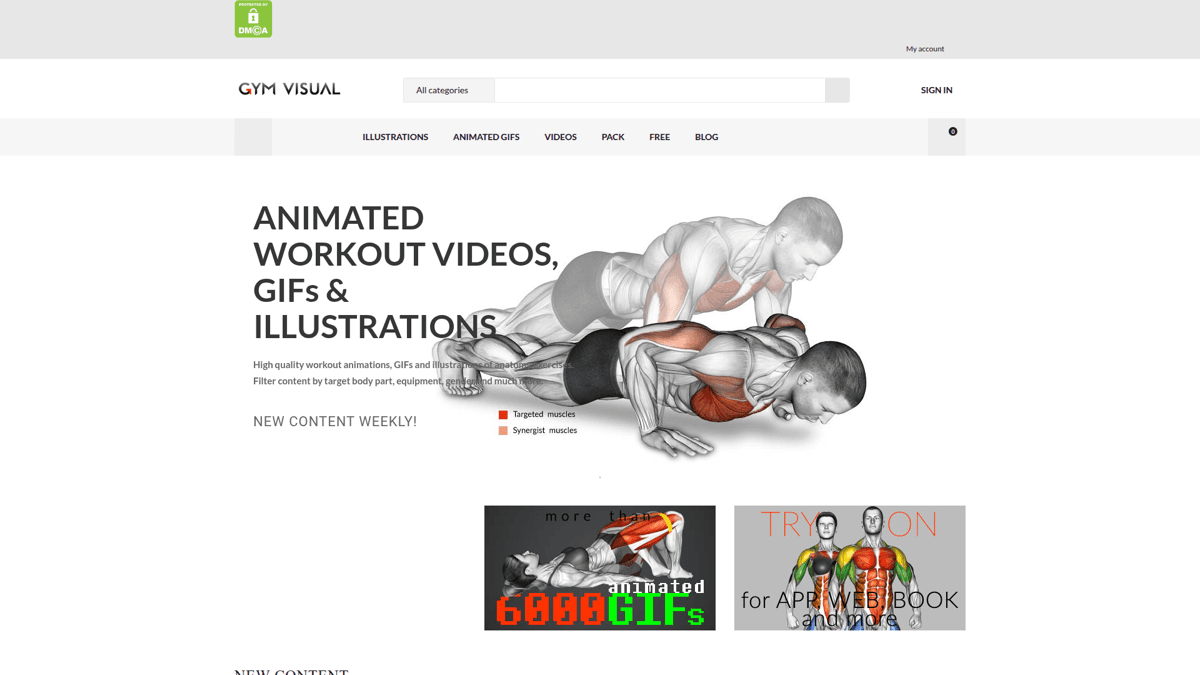
GymVisual offers 2D illustrations and GIFs with per-asset pricing
GymVisual is the industry standard with the largest library, but it focuses on 2D illustrations and GIF format. MoveKit takes a different approach: 3D rendered animations in MP4 format with a consistent mannequin style, structured metadata, and supporting artifacts.
Barbell Bench Press
ℹ️ Note on free databases
Wger is AGPL-licensed, which means using it in your app may require open-sourcing your entire codebase. ExerciseDB has usage limits and inconsistent asset quality. For commercial apps, verify the license before integrating any free exercise content.
Skip months of content production
400+ production-ready 3D exercise animations with structured metadata, consistent style, and commercial licensing. Files remain licensed permanently, with no subscription required to keep them.
Integrating Exercise Animations Into Your App
Once you have your exercise assets, the integration pattern is straightforward. Here is how to set it up for optimal performance.
CDN Hosting Strategy
Host exercise videos on a CDN (S3 + CloudFront, Vercel Blob, or Cloudflare R2). Never bundle them in your app binary. A 400+ exercise library at 300 KB per preview clip is around 120 MB total, but users should load clips on demand, not all at once.
Lazy Loading and Caching
Load exercise videos only when they scroll into view. Cache aggressively with long max-age headers. For React Native, use a video component that supports poster images so users see a static frame instantly while the video buffers.
Tagging for Search and Filtering
Tag every exercise with muscle group, equipment type, and difficulty level. This powers your app's search, filter, and workout builder features. MoveKit exercises come pre-tagged with all three categories across chest, back, shoulders, biceps, triceps, legs, glutes, and core.
Dumbbell Row Unilateral
Essential Features Your Fitness App Needs
Beyond exercise content, here are the core features users expect from a modern fitness app:
- Exercise library with video demonstrations - the foundation. Users need to see proper form before attempting any movement.
- Workout builder - let users create custom routines or follow pre-built programs with progressive overload.
- Progress tracking - charts for weight lifted, reps completed, body measurements, and personal records.
- Wearable integration - Apple Health and Google Health Connect sync for heart rate, calories, and step data.
- Rest timers - configurable per exercise. Sounds small but users mention it in every review.
- Workout history - searchable log of past sessions with the ability to repeat or modify previous workouts.
- Notifications - workout reminders, streak tracking, and rest day suggestions to build habit loops.
💡 Tip
Ship with fewer features, polished. A workout tracker with 20 beautiful exercise animations beats a feature-packed app with stock photos. Users judge quality in the first 30 seconds.
Licensing and Legal Considerations for Exercise Content
Licensing is the part developers skip until their app is in review. Do not make that mistake. If you are building a commercial fitness app, you need a commercial license for every piece of exercise content you use.
Here is what to check before integrating any exercise library:
- Commercial use permitted? - Many free databases restrict commercial use or require attribution.
- Project and entity scope? - Some licenses cover one app, one buyer entity, or unlimited projects. Check the exact grant before shipping.
- Redistribution rules - Can end users download the raw files? Most licenses prohibit this.
- Modification rights - Can you crop, overlay, or edit the animations for your app's design?
Allowed
- ✓Use in commercial fitness apps (iOS, Android, Web)
- ✓Embed in online courses and coaching platforms
- ✓Use in YouTube and social media content
- ✓Modify and adapt for your project
- ✓Unlimited end users of your product
Not Allowed
- ✗Resell or redistribute raw animation files
- ✗Include in a competing animation marketplace
- ✗Claim as your own original work
MoveKit includes a commercial license with every purchase. One Standard license covers the buyer entity's own apps, websites, client projects, courses, videos, ads, and commercial products.
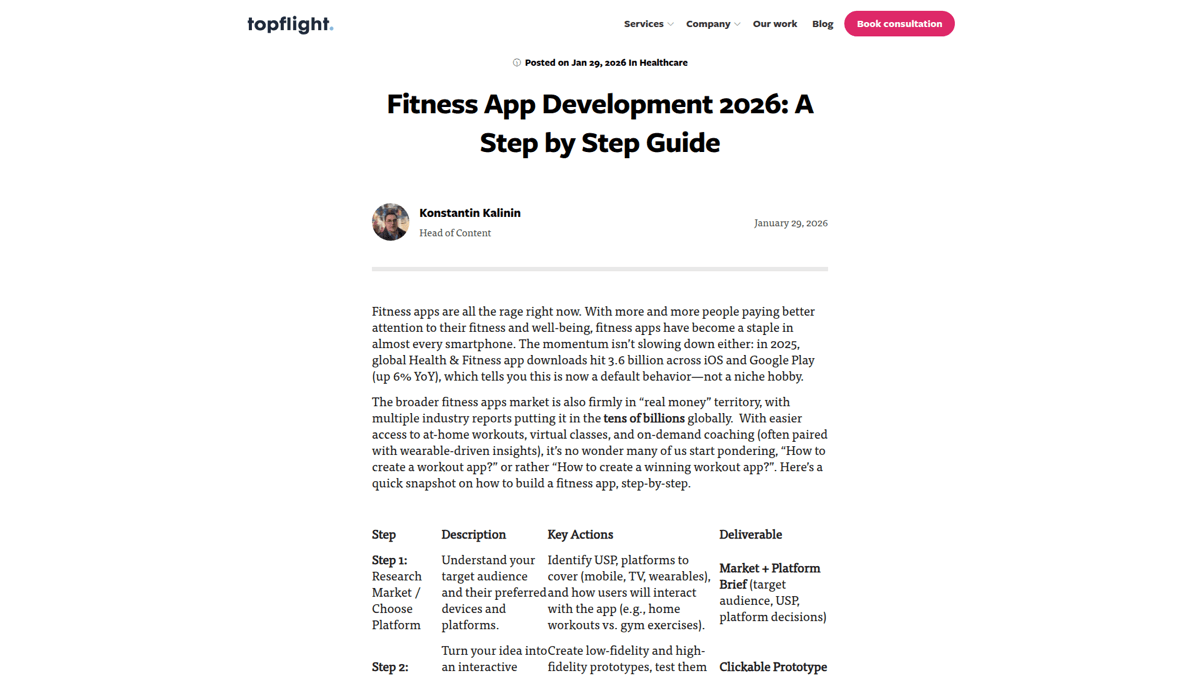
Existing guides cover development steps thoroughly but never address exercise content sourcing
Ready to build your fitness app?
400+ production-ready exercise animations. One-time purchase. Commercial license included. If you need programmatic access at scale, join the API waitlist while you build with file-based assets today.
Browse the Library →FAQ
How much does it cost to build a fitness app?
An MVP costs $25,000-$30,000. A full-featured app with AI coaching, wearable integration, and social features runs $60,000-$160,000. Exercise content is often the hidden cost that catches developers off guard, ranging from $500 for a licensed library to $15,000+ for custom-filmed demonstrations.
Where do fitness apps get their exercise animations?
Three paths: film yourself (expensive, $10,000+), commission custom illustrations ($50-100 per exercise), or license from a database like MoveKit or GymVisual (fastest and most affordable). Most successful indie apps use the licensing route.
Should I use GIFs or MP4 videos for exercise demonstrations?
MP4. GIFs are 10-50x larger, limited to 256 colors, and cause performance issues on mobile. MP4 with H.264 encoding gets hardware-accelerated decoding on every modern device, meaning smooth playback with minimal battery impact.
Can I use free exercise databases in a commercial app?
Check the license carefully. Wger is AGPL, which may require open-sourcing your app. ExerciseDB has usage limits. For commercial apps shipping to the App Store, licensed libraries like MoveKit provide legal clarity and consistent quality.
What tech stack should I use to build a fitness app?
React Native or Flutter for cross-platform development (single codebase, faster launch). Native Swift/Kotlin for maximum performance and hardware access. No-code platforms for non-technical founders validating an idea. The right choice depends on your budget, timeline, and how much customization you need.
Key Takeaways
- ✓Exercise content sourcing is the most overlooked step in fitness app development
- ✓MP4 animations are 10-50x smaller than GIFs with better visual quality
- ✓Consistent visual style across your exercise library is what separates polished apps from amateur ones
- ✓Always verify commercial licensing before integrating any exercise content
- ✓Ship fewer features with great content rather than many features with stock photos