

For fitness apps, animated workout assets are a product decision: format, license, metadata, and delivery matter more than catalog thumbnails.
Quick Answer
What is the best animated workout source for a fitness app?
For app builders, start with downloadable H.264 MP4 clips, separate WebP posters, JSON/CSV metadata, and clear commercial rights. MoveKit gives you those artifacts with per-clip pricing at $4.99 and four nested buyer packs from $149 to $299, so you can start small and scale without rebuilding your content pipeline.
- •Use real MP4 previews before judging a catalog
- •Verify commercial app, subscription, client-work, and self-hosting rights
- •Prefer assets that ship with poster files and metadata join keys
Preview real MoveKit clips first
Static screenshots cannot tell you whether motion is smooth, whether the camera angle reads clearly, or whether the model communicates the movement. These are real MoveKit clips, embedded live from the current catalogue, covering lower body, chest, and back so you can judge range and consistency yourself.
Live MoveKit previews
Barbell Squat
Barbell Bench Press
Pull Ups
Each preview loads its current video and poster from the catalogue at render time. Pull Ups is one of the free sample exercises, so you can test a real MoveKit clip before committing to a buyer pack.
This is a buyer guide for people who ship software, not a generic roundup. If you want the format deep dive instead, read our MP4 vs GIF format comparison, or the broader exercise animation guide. Here, the focus is the purchase decision: pricing model, delivery, licensing, metadata, and how ready each source is to drop into an exercise screen.
What to compare before you buy animated workout assets
Most vendor pages are built to sell, not to help you choose. Before you look at any catalog, lock down the criteria that actually affect your build. The thumbnail quality matters far less than how the files are licensed and delivered.
Five things decide whether an animated workout library fits an app. Format controls playback and file handling. License controls whether you can legally ship it in a paid product. The buying model controls your upfront risk. Metadata controls how fast integration goes. And preview quality tells you whether the motion is good enough to put in front of paying users.
Decision criteria for animated workout assets
| Criterion | Why it matters | What to verify |
|---|---|---|
| Format | Controls playback, file size, and platform support | H.264 MP4, poster images, fallback stills |
| License | Protects commercial apps and client work | Self-hosting rights, no raw resale, attribution rules |
| Buying model | Determines upfront cost and risk | Per clip, pack, whole-catalog, or bulk-only |
| Metadata | Speeds app integration | Slug, video file, poster file, muscles, equipment, difficulty |
| Preview quality | Tells you if motion is usable | Real moving previews, not just static screenshots |
If you already know you need MP4 clips with posters and metadata, you can browse the MoveKit library instead of reverse-engineering a catalog page.
Animated workout libraries compared
Here is how the main sources stack up for an app builder. Pricing and counts below come from each vendor's own pages at the time of research, so treat marketing figures as claims to verify before you commit budget. The numbers move, and bulk discounts often hide behind cart thresholds.
Animated workout sources at a glance. Vendor figures are taken from their own pages.
| Library | Best for | Pricing (as listed) | Format / delivery | Main caution |
|---|---|---|---|---|
| MoveKit | App builders who need flexible files and metadata | $4.99 per clip, buyer packs $149 to $299 | H.264 MP4, WebP posters, JSON and CSV metadata | Public API is waitlist only |
| GymVisual | Broad catalog shopping | Videos page states $6 per video after 5 in cart | Videos, GIFs, and illustrations | Catalog UX and pricing fragmented by category |
| Exercise Animatic | Low-price individual video browsing | $1 example videos, $299 sale bundle (2000 videos) | Animation videos and bundle assets | Dense, sales-heavy pages |
| LottieFiles | Free web animation exploration | Free and premium marketplace | Lottie and animation marketplace | Mixed creator style and consistency |
| NFPT | Trainer education reference | $19.99 product | 80+ demonstrations | Not an app asset library |
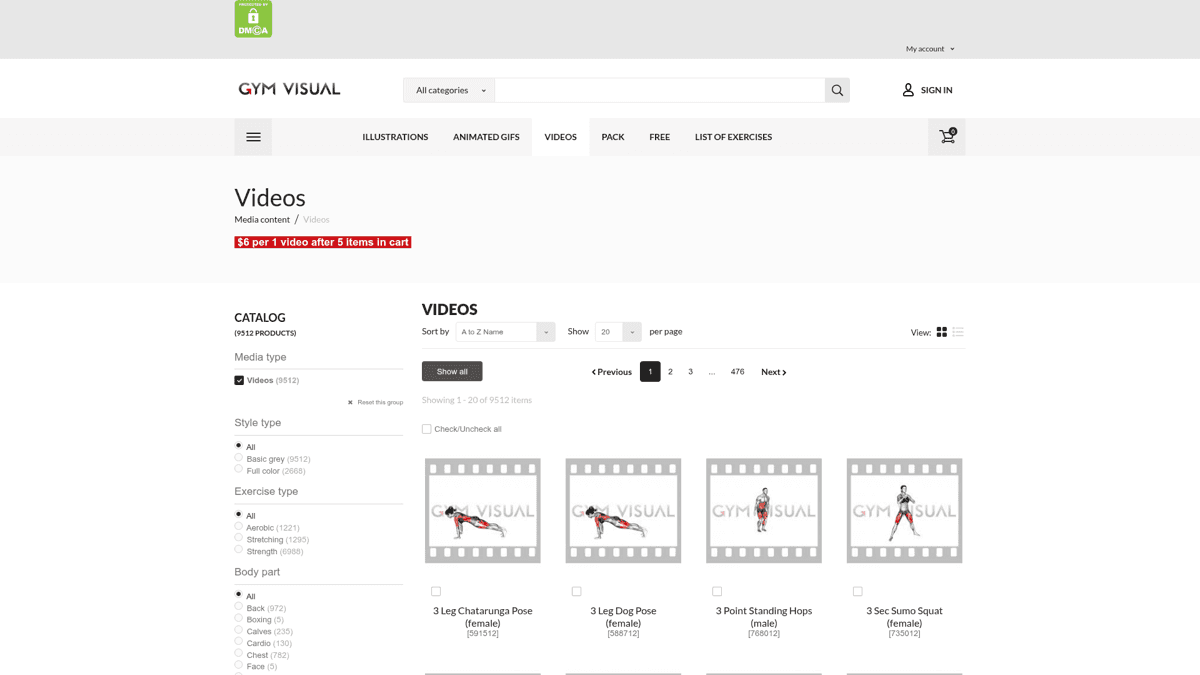
GymVisual's videos category states a per-video price that drops after items are added to the cart.
For a wider editorial roundup that includes other 3D vendors, see our best exercise animation libraries comparison. The difference here is the lens: this page is about how each option behaves once it is inside a real app.
Vendor verdicts: who each library is for
Every source below is a real option for someone. The question is fit. These verdicts are based on each vendor's own pages, so the scores reflect how well the offering matches an app builder's needs, not a claim that any product is bad.
The broadest catalog, but you shop it like a stock site rather than a developer library.
Best for: Teams that want enormous breadth across illustrations, GIFs, and videos and do not mind catalog-style buying.
Strengths
- +Ranks first for the target keyword and offers huge breadth
- +Illustrations, animated GIFs, videos, free assets, and packs in one place
- +Category filters for body part, equipment, gender, and style
Weaknesses
- -The page is a catalog, not a buyer guide
- -Pricing is fragmented by category and cart-quantity thresholds
- -No obvious structured metadata for app integration
The low-price individual-video option, wrapped in a heavy sales page.
Best for: Buyers who want the cheapest per-video entry point and a lifetime bundle option.
Strengths
- +Low individual video pricing, with $1 example products listed
- +Explicit app and website integration use cases
- +Bundle page exposes a lifetime-license offer
Weaknesses
- -Sales-heavy pages with repeated sections
- -Hard to compare formats, license limits, and delivery in one scan
- -No neutral comparison against other libraries
A free and premium marketplace for lightweight web animations, not a dedicated exercise library.
Best for: Web projects that want lightweight Lottie-style motion and free discovery.
Strengths
- +Strong for free exercise-animation discovery
- +Large marketplace with many creators
- +Good fit for lightweight web animation
Weaknesses
- -Not a dedicated exercise-demonstration library
- -Mixed creator quality and style consistency
- -No fitness-app license framework or structured exercise metadata
A low-cost trainer-education product, not an asset source for shipping software.
Best for: Trainers who want demonstrations as part of certification study.
Strengths
- +Simple $19.99 product positioning
- +Clear trainer-education context
- +Over 80 demonstrations for major muscle groups
Weaknesses
- -Not positioned as an app-developer asset library
- -Small animation count versus dedicated vendors
- -Mostly a certification-course funnel
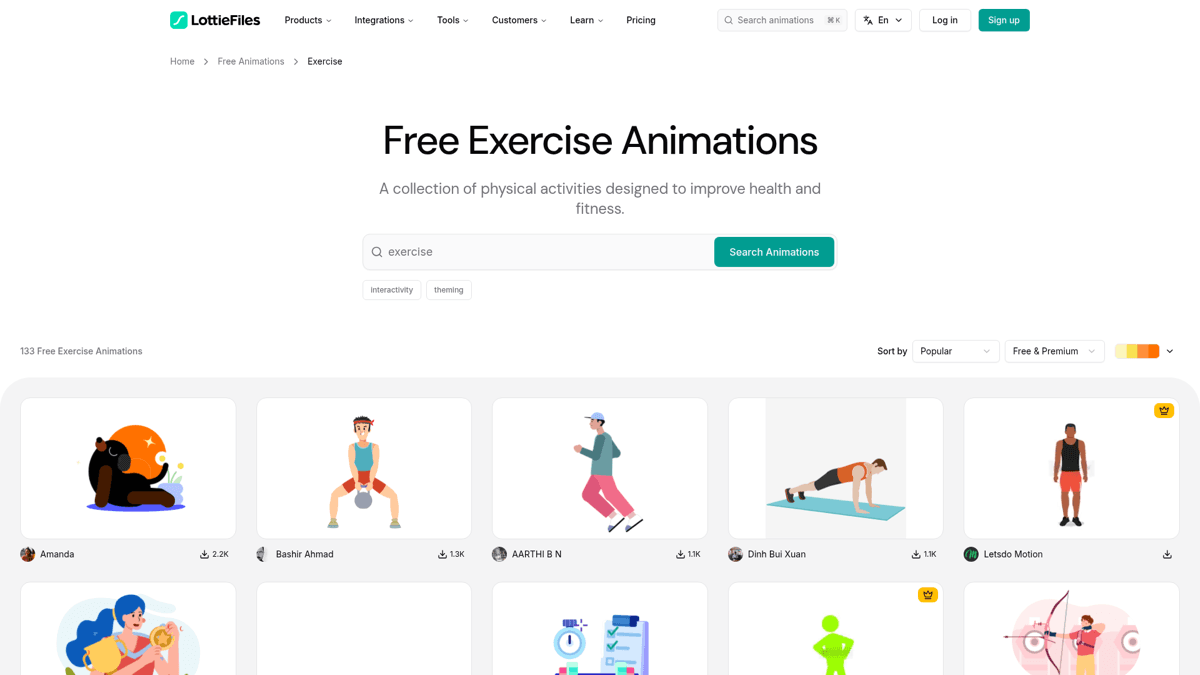
LottieFiles lists free exercise animations across many creators, with mixed style consistency.
Licensing and delivery are where app projects get risky
The thumbnail is the part everyone evaluates. The license and delivery are the parts that actually break projects. Builders on developer subreddits keep raising the same two worries: recurring costs and unclear rights.
“without paying monthly API fees”
“confused with the licensing”
These are sentiment signals, not hard data, but they match what we hear from buyers. Monthly API dependencies add risk as an app grows, and reseller provenance can be hard to verify. A one-time purchase with explicit commercial terms removes both problems. Here is what MoveKit's Standard license covers, taken directly from the current license terms.
Allowed
- ✓Use in paid apps, freemium apps, and subscription products
- ✓Use in websites, courses, videos, ads, and client projects
- ✓Self-hosting and serving files to authenticated users via your own CDN or signed URLs
- ✓Using the structured metadata and written exercise text inside your product
Not Allowed
- ✗Reselling or repackaging the raw MP4, poster, or metadata files as a standalone asset pack
- ✗Building a competing stock library or public download catalogue from the raw assets
- ✗Sharing raw download links or raw files publicly with unauthorized users
Attribution is not required. One Standard license covers your own apps, websites, client work, and commercial products.
Some paid vendors describe commercial royalty-free licensing, but the practical differences are purchase model, provenance, delivery, and whether files ship with app-ready metadata.
Developer implementation checklist
Once you have chosen a source, the integration is mostly about treating media and metadata as separate concerns. Here is what MoveKit ships and how to wire it into an exercise screen.
Integration checklist
- 1.Store exercise metadata in your database, separate from the media URLs.
- 2.Use
slug,videoFile, andposterFileas the join keys between metadata and media. - 3.Serve paid MP4s through authenticated routes or signed URLs, never public links.
- 4.Use the WebP poster as the loading state and on list screens to keep scrolling light.
- 5.Prefer H.264 MP4 for predictable playback across mobile and web.
- 6.Do not build against a public MoveKit API yet. API access is waitlist only, so ship with downloadable files for now.
ℹ️ Note
Posters and metadata are delivered as their own artifacts, so do not assume poster images are bundled inside the Complete Pack video ZIP. Download the poster and metadata artifacts separately.
FAQ
Are animated workout MP4s better than GIFs for fitness apps?
Usually yes. MP4 playback is more predictable for app UIs, file handling, and poster fallbacks, and the files are smaller at comparable quality. GIFs still work for quick web embeds. For the full breakdown, see our MP4 vs GIF format comparison.
Can I use animated workout clips in a paid app?
Only if the license explicitly covers commercial apps, subscription products, and self-hosted delivery. MoveKit's Standard license covers paid apps, freemium apps, subscriptions, client work, and self-hosting to authenticated users, with no attribution required. Always confirm the same scope with any vendor before you ship.
Are free exercise animations safe for commercial projects?
Sometimes, but every asset needs license verification. Marketplace and community assets can vary by contributor, and the license on one clip does not always apply to the next. Check the terms per asset, not per site.
When should I buy a bulk animation package?
Bulk packages make sense when you already know the exact visual style and exercise coverage you want, and you are confident you will use most of the library. Early apps usually benefit more from per-clip or pack flexibility, so you only pay for what your catalogue actually needs.
Does MoveKit have an exercise animation API?
Not yet. API access is on a waitlist and is not live. Current integrations use the downloadable MP4, poster, and metadata artifacts, which is the right approach for a production app today.
Start with the clips you actually need
Buy individual clips now, then move up to a buyer pack when your exercise catalogue is ready. MP4s, posters, metadata, and a commercial license included.
Browse the Library →Key Takeaways
- ✓Choose an animated workout source by license, delivery, and metadata, not by thumbnail quality.
- ✓MoveKit fits app builders with $4.99 clips, buyer packs from $149 to $299, MP4 files, WebP posters, and JSON/CSV metadata.
- ✓GymVisual and Exercise Animatic are catalog options; LottieFiles and NFPT serve narrower needs; avoid vendors whose provenance, license scope, or delivery model is hard to verify.
- ✓Serve paid files through authenticated routes, and treat metadata and media as separate, joinable layers.
- ✓Build with downloadable files today. The MoveKit API is waitlist only and not live.