
Every workout screen needs to show the movement, and a mismatched set of demonstrations makes a paid product look unfinished. This guide explains where fitness apps actually get their exercise demonstration videos, what each source costs in time and licensing risk, and how to ship the files once you have them.
Quick Answer
How do fitness apps get exercise demonstration videos?
Most apps use one of five sources: they film their own, commission custom 3D animation, use a free exercise database or GIF platform, license a ready-made exercise animation library, or fall back to illustrations. Teams that need consistent visuals and a clear commercial license quickly usually license a library, then fill gaps with custom work.
- •Filming and custom animation give full control but turn every new exercise into a production job
- •Free databases are fast to start but mix styles and licensing terms
- •Licensed libraries trade some control for speed, consistency, and a written license
The five ways apps source exercise demonstrations
1. Film your own videos
You book a trainer or model, a location, and a camera crew, then edit every clip to the same framing. You own the footage outright, and it can feature your own coaches. The cost is that each new exercise means another shoot, model releases for everyone on camera, and careful matching of lighting, outfit, and angle so the new clip fits beside the old ones.
2. Commission custom 3D animation
A 3D studio or freelancer builds animated demonstrations to your specification. You control the character and style, and the terms are whatever your contract says. Expect a per-exercise quote and a production queue, so it suits a short list of exercises better than a full catalogue.
3. Use a free exercise database or GIF platform
Free databases and GIF platforms are the fastest way to get something on screen. The catch is that assets come from many sources, so styles mix, and licensing is often set per upload or per contributor. Our guide to exercise GIF sources covers the free platforms in detail.
4. License a ready-made exercise animation library
A licensed library sells finished demonstration videos under a written commercial license. You can launch with hundreds of consistent clips immediately, and the vendor keeps adding exercises. You give up some control over the character and style, so preview the clips before you buy. Our comparison of exercise animation libraries reviews the main vendors side by side.
5. Use illustrations or animated icons
Static diagrams and simple vector animations are cheap and small. They work for warm-up icons and onboarding screens, but a still drawing cannot show tempo or range of motion the way a moving demonstration can.
How the options compare
The right source depends less on price per clip than on how many exercises you need, how often the list grows, and how much licensing risk your team can carry.
Exercise demonstration sources for fitness apps
| Factor | Film your own | Custom 3D animation | Free database or GIFs | Licensed library |
|---|---|---|---|---|
| Upfront cost | Production budget | Per-exercise quote | None | Per clip or per pack |
| Time to first release | After the shoot and edit | After the studio delivers | Immediate | Immediate after purchase |
| Visual consistency | You control it | You control it | Mixed sources | One style per vendor |
| Licensing clarity | You own it, with model releases | Set by your contract | Varies per asset | One written license |
| Adding exercises | A new shoot each time | A new order each time | Limited to what exists | Vendor releases or custom requests |
Licensing a library: the trade-off
Pros
- ✓A large, consistent catalogue on day one
- ✓A written commercial license instead of per-asset research
- ✓Files you can usually host and cache yourself
Cons
- ✗Less control over the character and visual style
- ✗Coverage gaps still need a fallback or custom work
- ✗License terms differ between vendors, so read them
Licensing questions to settle first
The license decides whether the videos can ship inside a paid product at all. Settle these questions in writing before you build around a source:
- Commercial use: can the files appear in a paid app, subscription, or client project?
- Self-hosting: may you serve the files from your own storage, CDN, or signed URLs, and cache them for offline use?
- White-label work: does one license cover one branded app, or every app your agency builds?
- Redistribution: what stops you from reselling the raw files, and does that limit any feature you plan, such as user exports?
- AI use: some licenses forbid using the clips as training data or as input to AI-generated content.
- Attribution and updates: do you need a credit line, and what happens to new releases and your existing files when a subscription or update window ends?
⚠️Free does not mean free to ship
A free GIF can still carry terms that rule out commercial use. If the license is set per upload, you need a record of every asset's terms, not just the platform's.
Formats and delivery
MP4 video is the practical default for exercise demonstrations: native players handle it on every platform, and it is usually far smaller than an equivalent GIF. A good asset set also includes:
- Poster images for list views, thumbnails, and offline fallbacks, so a screen of twenty exercises does not start twenty videos.
- Structured metadata such as muscles, equipment, and written instructions, keyed by a stable identifier, so your app can search, filter, and swap variants.
- Loopable clips that can repeat while the user reads the cues.
Code animation frameworks such as Lottie, Rive, or React Native Reanimated animate interface elements. They play the media you supply; they are not a source of exercise demonstrations. If you are wiring video into React Native, our React Native tutorial shows a working player, card, and picker.
How to choose for your stage
- Prototype: test the workout flow with a handful of clips before you commit to a source. A free sample from a licensed library lets you check the real files in your player.
- Launch: cover every exercise in your launch programs from one consistent source, so the app looks like one product.
- Growth: check how the source handles new exercises: vendor releases, custom requests, or a new shoot. Consistency gets harder to keep as the catalogue grows.
Implementation checklist
- List every exercise your programs use, including equipment variants.
- Match the list against the source's catalogue and mark exact matches, acceptable alternatives, and gaps.
- Decide where files live: bundled in the app, on your CDN, or behind signed URLs for paid content.
- Show posters in lists and load video only on the exercise detail screen.
- Store metadata keyed by a stable identifier, not by display name.
- Pause autoplay for users who prefer reduced motion.
- Test playback on low-end devices and slow networks.
- Keep each purchase's license record with your product documentation.
Where MoveKit fits
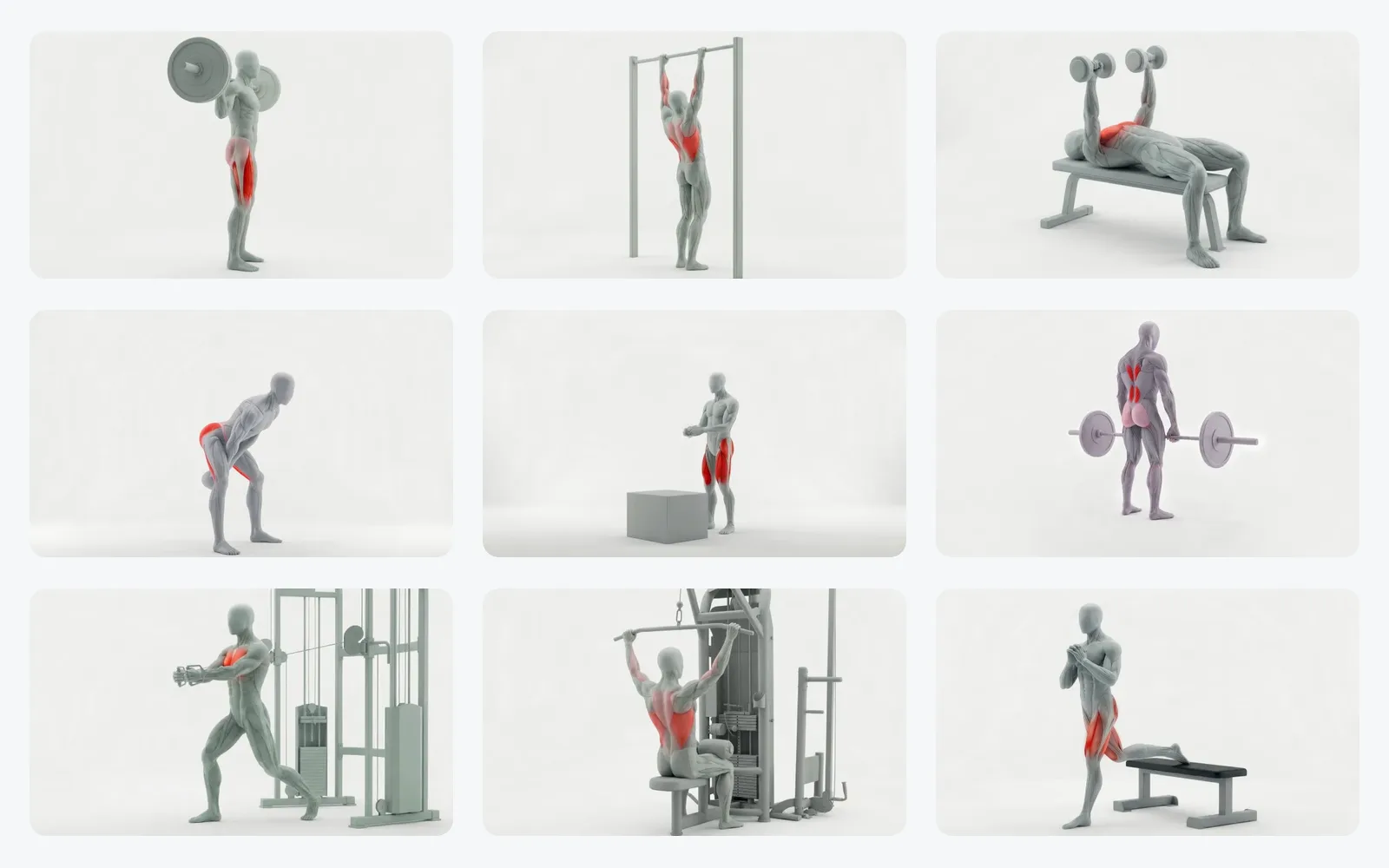
MoveKit is a licensed exercise animation library: 582 pre-rendered 3D exercise demonstration videos in one consistent style, using one faceless grey anatomical muscle figure with no clothing. It is content you license and embed, not a code framework.
- Paid videos are high-resolution H.264 MP4 files, with separate poster images and JSON and CSV metadata.
- Individual clips cost $4.99, and four packs run from $149 (155 exercises) to $299 for the full library.
- One Standard license covers your own apps, websites, client projects, and courses, with no attribution. You may self-host the files and serve them to your authenticated users.
- API access is coming soon and is waitlist only. Today the product is downloadable, self-hostable media.
Start with the free sample, browse the exercise library, or read the plain-English licensing summary.
FAQ
Where do fitness apps get their exercise videos?
Most apps film their own, commission custom 3D animation, use a free exercise database or GIF platform, license a ready-made animation library, or use illustrations. The right choice depends on budget, launch timeline, visual consistency, and how much licensing risk the team can accept.
Should an app use MP4 video or GIFs for exercise demonstrations?
MP4 is usually the better choice. Native video players handle it on every platform, and an MP4 is usually far smaller than an equivalent GIF. GIFs remain common in free databases, so check both file size and license terms before you ship them.
Can I self-host licensed exercise videos?
It depends on the license, so check it before you build. MoveKit's license allows self-hosting the files and serving them to your authenticated users, including through your own CDN or signed URLs.
Can I call an exercise video API instead of downloading files?
Some vendors sell hosted access. MoveKit's API is coming soon and is waitlist only, so today you download the files and host them yourself.